Google Cloud Platform Cost Control Module
The Cost Control module gives insight in your Google Cloud Platform usage and can be shared with any user in your ACE tenant without giving access to your Google Cloud Platform environment.
The Cost Control module gives insight in:
- Billing information on Incentro managed Google Cloud Platform billing accounts.
- Recommendations on potential cost savings.
- Enterprise commit status.
Billing Accounts
View simplified billing information from your Incentro managed billing accounts. We can give totals across multiple Google Cloud Platform billing accounts and allow you to zoom in where needed. If you have one or more Google Cloud Platform billing accounts managed by Incentro, we add them to ACE for you. It is currently not possible to add a billing account that is not managed by Incentro. We refresh our billing data every day at 1AM CET.
We currently support the following views (all data is based on invoice month):
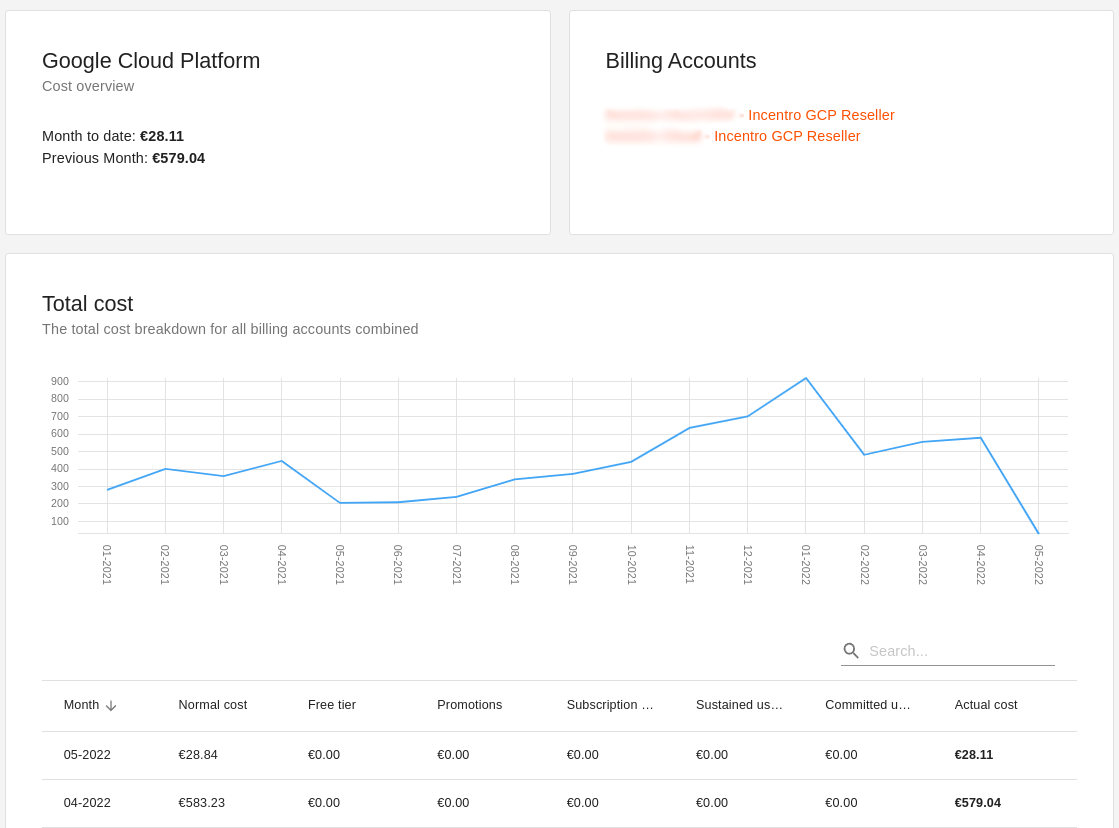
Totals of all billing accounts combined
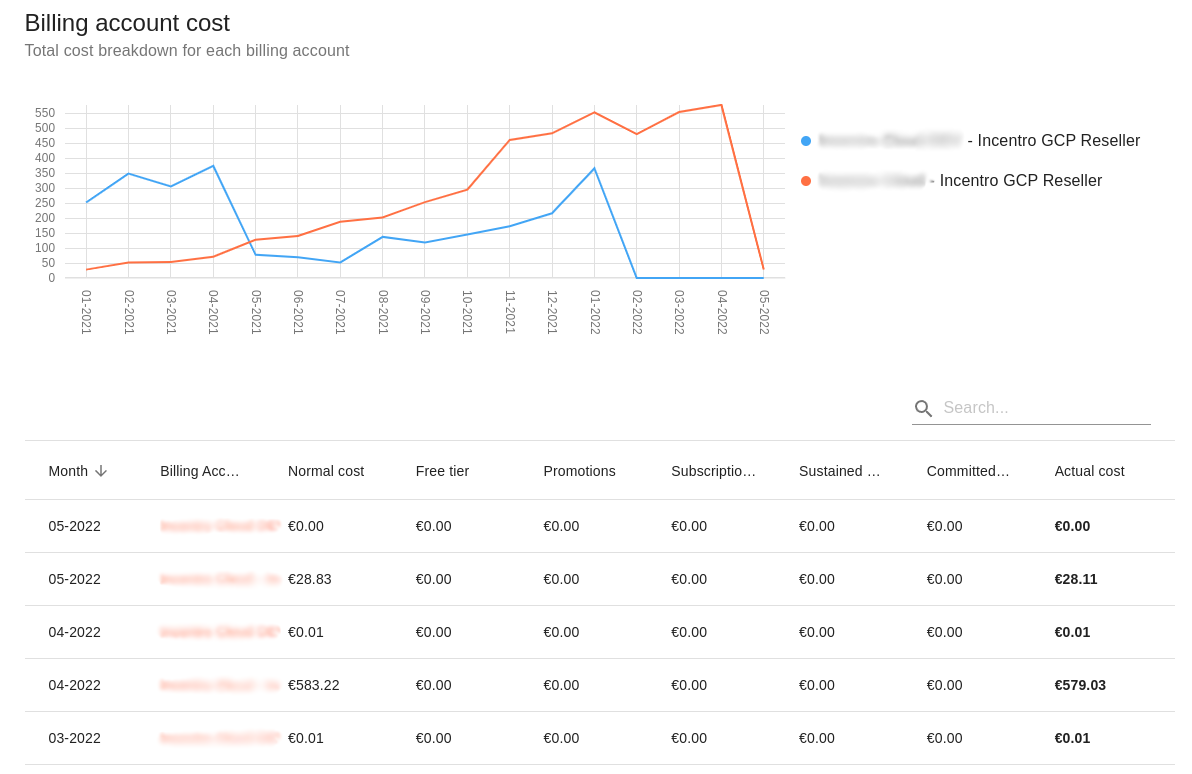
Totals per billing account
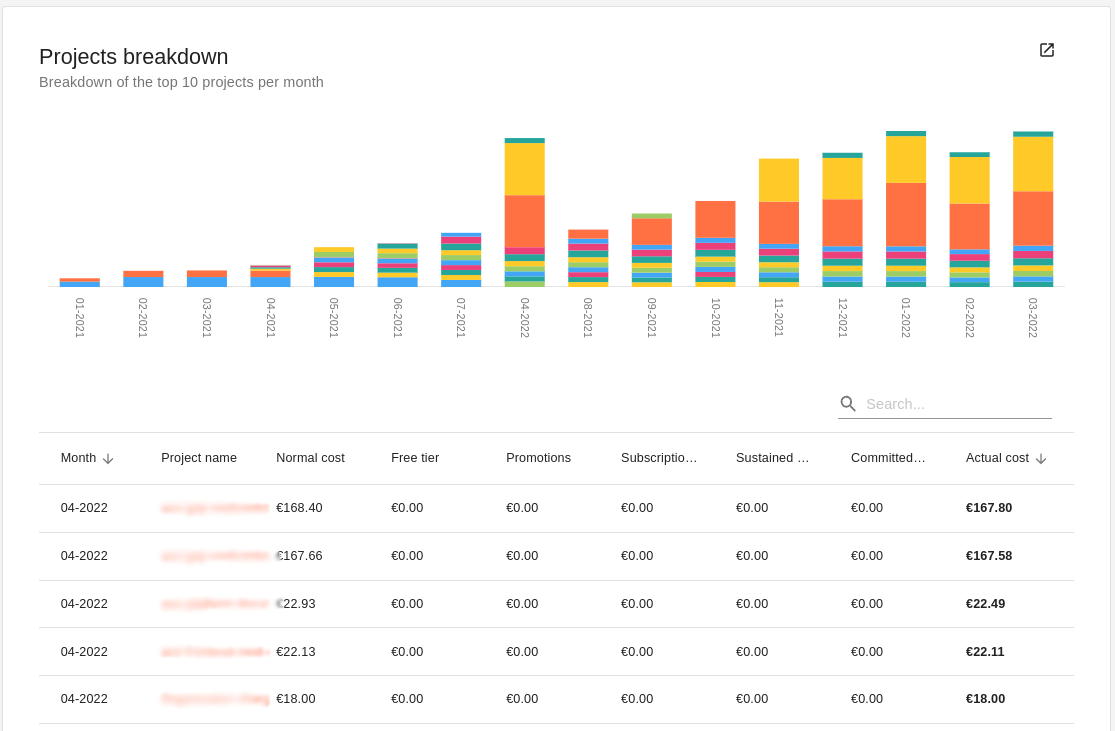
Totals per project
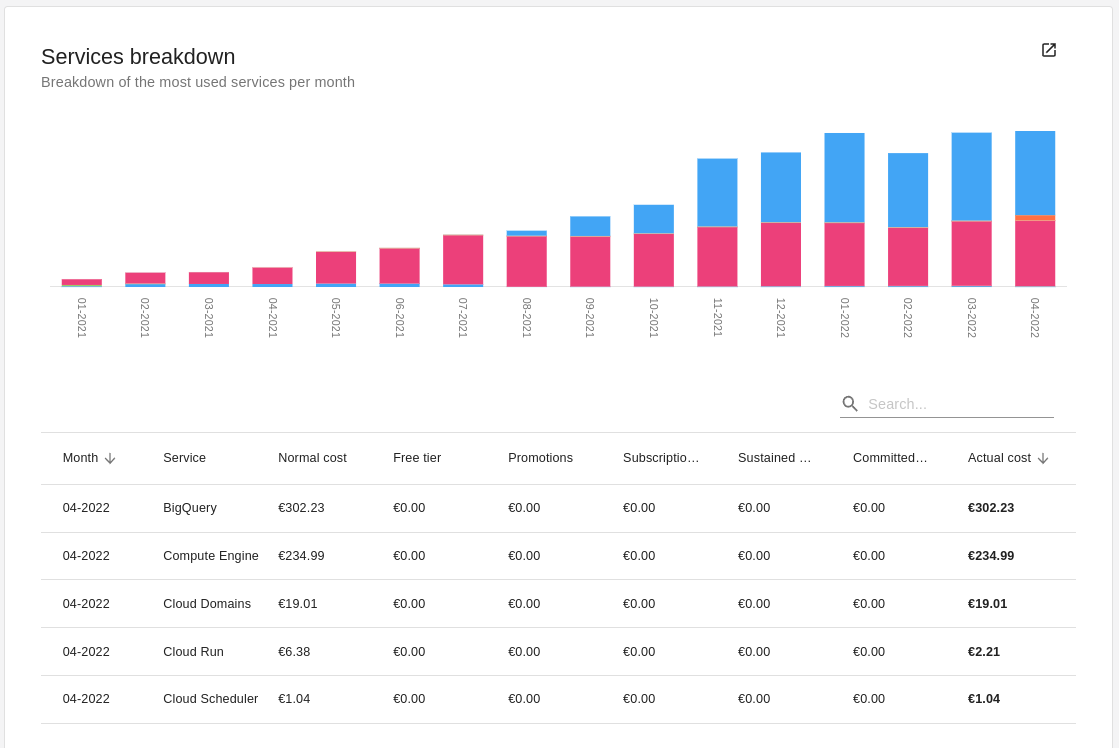
Total per service per billing account
Filtering and details
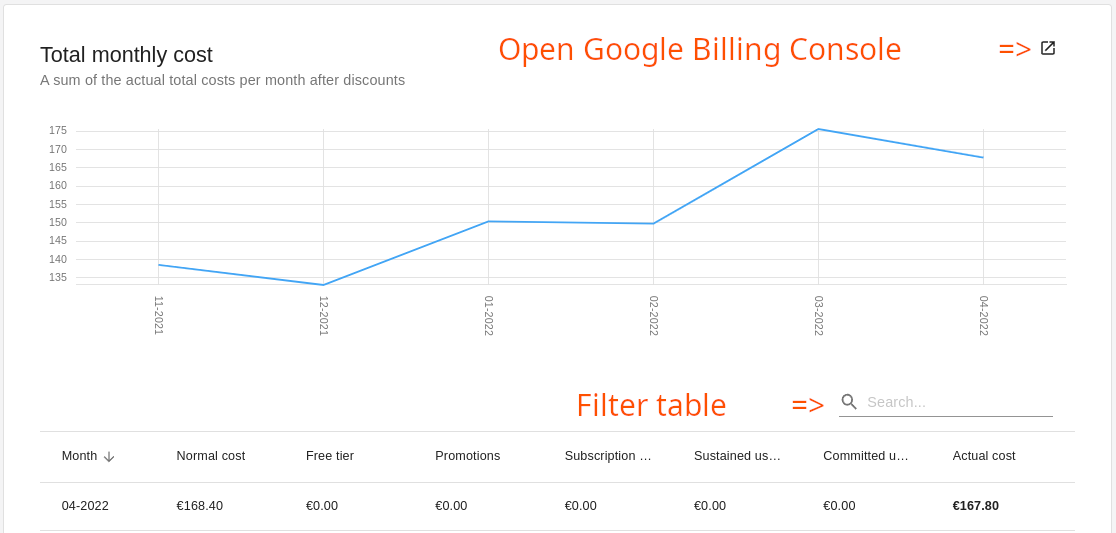
It is possible to filter data in the tables to find specific information. It is also possible to open the view to the detailed billing of Google Cloud Platform directly if a more advanced view is needed. Find the ‘external’ button in the graph to open the Google Billing Console directly:
Recommendations
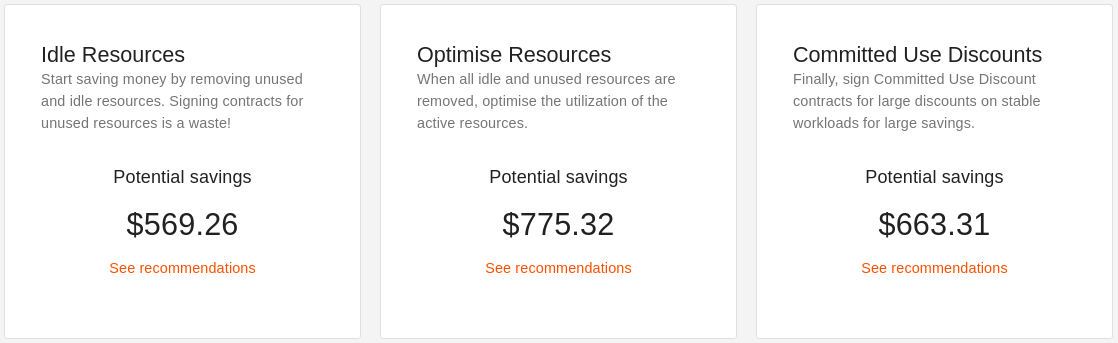
Let ACE analyse cost savings recommendations from all your Google Cloud Platform organisations and start optimising your Google Cloud environment. Using the recommendations exports from Google Cloud Platform, it is possible to get an overview of possible savings and where savings can be achieved. Get the most bang for your buck by first removing unused resources, then optimizing other resources and finally signing committed use discounts.
Configuring the recommender
-
Start by configuring the recommender export in your Google Cloud Platform organisation. You can find a guide on how to do that here.
-
Create a new recommender in ACE
- Go to the recommendations page in ACE in the Google Cloud / Cost Control module section.
- Click the + ADD RECOMMENDER button.
- Choose a display name (this can be anything).
- Find the Google Cloud project ID (not the number) where you have configured your recommendations export in step 1 and add it here.
- Add the name of the dataset ID where you are exporting your recommendations to.
- Click CREATE and ACE will set up the recommender for you.
-
Add the ACE recommender service account to your BigQuery dataset as Data Viewer.
How the recommender works
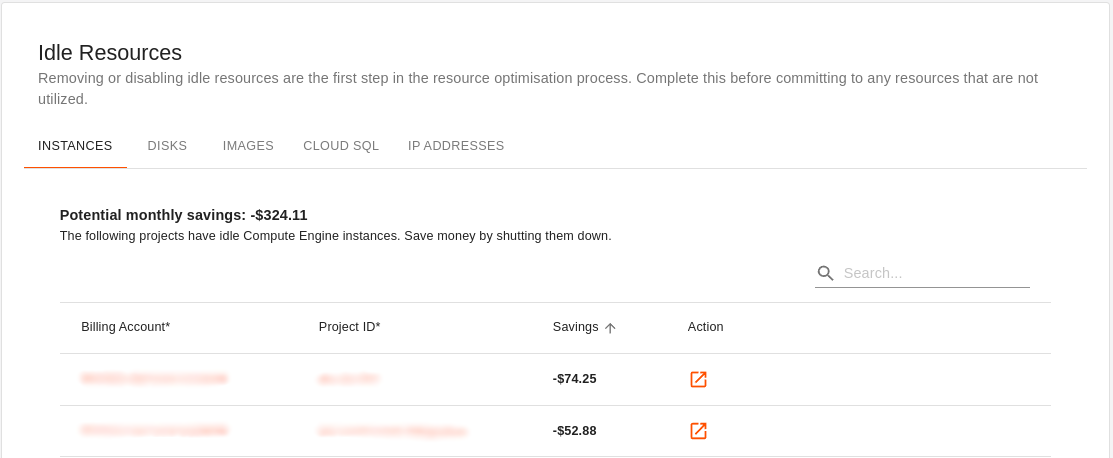
The ACE recommender will query your BigQuery recommendations export daily at 1AM CET and combine all data to give an overview of potential cost savings. ACE will never apply these savings automatically. Click on the Action button to view and apply the recommendation in the Google Cloud console. If recommendations are dismissed in the Google Cloud console, ACE will no longer show them after the 1AM query.
Always make sure applying the recommendation does not impact performance of critical applications.
Enterprise Commits
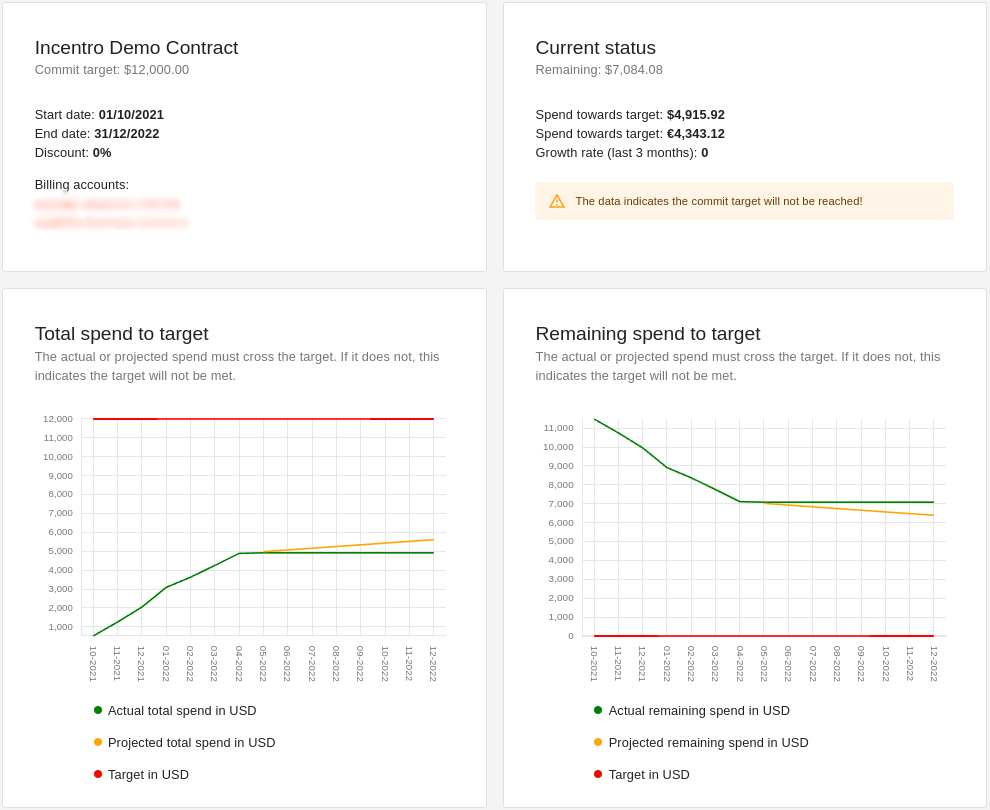
Track the status of your Google Cloud Platform enterprise commitment contracts. Enterprise commit contracts are offline commit contracts made between Google, Incentro and customers. In exchange for a guaranteed amount of Google Cloud billing spend over a period of time, extra discounts can be granted.
If there is an Enterprise Commit deal, Incentro will automatically add it your ACE environment.
Contact your Incentro Cloud account manager for more information.